E.ON Smart Meter Review (2026): Installation, Features, and What to Expect
An E.ON smart meter review: what to expect from SMETS2 installation, the Chameleon IHD7-T in-home display, the E.ON Next app and switching suppliers.
E.ON Smart Meter Review (2026): Installation, Features, and What to Expect
If you’re considering getting a smart meter through E.ON, you’re not alone. According to the Department for Energy Security and Net Zero (DESNZ), tens of millions of smart meters have now been installed across Great Britain, with SMETS2 devices accounting for the overwhelming majority of new installations as of 2026. E.ON, one of the UK’s major energy suppliers, has been a significant participant in this rollout, fitting meters manufactured by Aclara, EDMI, and Landis+Gyr under the national Smart Metering Equipment Technical Specifications (SMETS2) standard.
This article is a thorough, research-based review of the E.ON smart meter experience. We’ve analysed manufacturer specifications, community feedback from the E.ON Next Community forum and Trustpilot, expert commentary from Which? and MoneySavingExpert, and official E.ON documentation. We’ll cover everything from installation and the In-Home Display (IHD) to meter dimensions, network architecture, and how E.ON compares to rivals like Octopus Energy and OVO. No hands-on testing here—just honest, factual research to help you decide if an E.ON smart meter is right for your home.
The E.ON Smart Meter Ecosystem at a Glance
Smart meters aren’t a product you purchase—installation is free and government-mandated. The real decision is which tariff and energy management tools work best for you. Here’s how the key components of the E.ON smart meter experience compare:
| Component | What It Does | Strengths | Limitations |
|---|---|---|---|
| Chameleon IHD7-T (In-Home Display) | Standalone screen showing real-time usage in kWh and £ | No Wi-Fi needed; works via Zigbee HAN | Connectivity to meter can drop; doesn’t update tariff rates automatically for all plans |
| E.ON Next App | Smartphone-based usage tracking and account management | Real-time data, tariff comparisons, remote top-up for prepayment | Requires a smartphone and internet connection; some features depend on DCC data latency |
| E.ON Smart Prepayment Meter | Pay-as-you-go energy via smart meter system | Remote top-ups via app, online, or PayPoint; no key or card needed | Credit visibility relies on IHD connectivity remaining stable |
Looking to switch or compare tariffs? The smart meter itself is compatible with all UK suppliers, so it’s worth comparing E.ON Next’s current tariff offerings against competitors such as Octopus Energy before or after installation.
What Is an E.ON Smart Meter?
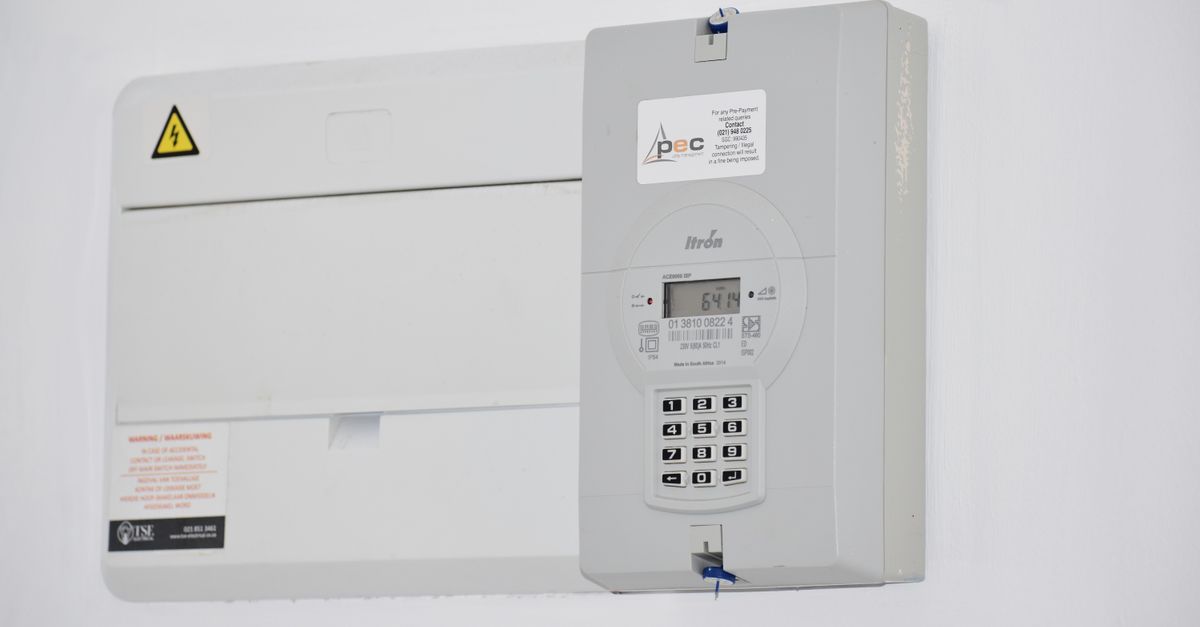
An E.ON smart meter is a SMETS2 (Smart Metering Equipment Technical Specifications 2) device installed by E.ON or its subsidiary, E.ON Next. Unlike the older SMETS1 meters—which could lose smart functionality when you switched supplier—SMETS2 meters operate on the DCC (Data Communications Company) network, meaning they remain fully functional even if you move to a different energy provider.
The system consists of two physical components:
- The meter unit itself (gas and electricity versions), typically manufactured by Aclara, EDMI, or Landis+Gyr
- A Comms Hub (usually a small white box) that connects to the cellular wide area network and communicates with your In-Home Display
How the Network Architecture Works
Understanding how your smart meter communicates helps explain both its capabilities and its occasional quirks.
- HAN (Home Area Network): The meter communicates with your In-Home Display and any other connected devices in your home via a short-range wireless HAN, using the Zigbee SEP 1.2 protocol. This is why the IHD doesn’t need your home Wi-Fi to function.
- WAN (Wide Area Network): The Comms Hub connects to the DCC’s national network via a cellular WAN (typically using the Arqiva or Telefónica network), transmitting your consumption data to E.ON and enabling remote meter reads.
- CAD (Consumer Access Device): A CAD is a third-party device that can connect to your meter’s HAN to pull granular energy data into third-party apps and home energy management systems. E.ON Next customers can request CAD access, though compatibility with specific third-party devices should be confirmed directly with E.ON. This is increasingly popular with users who want more detailed analytics than the standard IHD provides.
- Smart Energy GB is the national body responsible for overseeing the public rollout of smart meters and providing consumer guidance. Their published guidance confirms the interoperability standards all SMETS2 meters must meet.
Installation: What to Expect
Free Installation
E.ON offers free smart meter installation to all domestic customers, as mandated by the government rollout. There is no charge for the meter, the Comms Hub, or the IHD. Availability varies by region and engineer capacity, and most customers report waiting approximately 4–8 weeks for an appointment. Customers on prepayment meters or those registered on E.ON’s Priority Services Register—which covers vulnerable customers including those with medical needs or disabilities—may be eligible for earlier scheduling; E.ON’s official Priority Services page details the eligibility criteria.
The installation itself takes roughly 1–2 hours for both gas and electricity meters. The engineer will:
- Isolate your supply (a brief power cut)
- Remove the old analogue meter
- Install the new smart meter and Comms Hub
- Pair the IHD with the meter and test connectivity
- Walk you through the IHD features
Space Requirements: The Aclara SGM1400 Example
One of the most common questions on the E.ON Next Community forum is: “Will my meter fit?” The answer depends on your existing meter board.
One of the meters commonly installed by E.ON is the Aclara SGM1400 Series. According to Aclara’s published product documentation, this meter is a compact unit designed specifically for the UK domestic market. Community members on the E.ON Next forum have reported dimensions of approximately 12cm (height) x 19cm (width) x 6cm (depth)—roughly the size of a hardback novel—which aligns with Aclara’s stated design intent of fitting standard UK meter board cutouts. You should verify exact clearance requirements with the official Aclara SGM1400 datasheet or by asking your engineer ahead of the appointment.
You must also account for the Comms Hub—typically a Toshiba SKU1 Cellular or WNC SKU1 Cellular unit, both of which are listed in Smart DCC Ltd’s approved device specifications. This adds approximately 10cm of additional height, bringing the total space requirement to roughly 22cm (height) x 19cm (width) x 6cm (depth).
If your meter board is cramped, the engineer can sometimes mount the Comms Hub remotely—on a nearby wall or in a cupboard—since it only needs to be within HAN range of the meter (typically up to around 10–15 metres in a domestic setting).
What If You Have a Prepayment Meter?
E.ON supports smart prepayment meters. The installation process is identical to a standard credit meter installation, but the smart meter system enables remote top-ups via the E.ON Next app, your online account, or at PayPoint and Payzone outlets, with your remaining credit displayed on the IHD.
This is a significant upgrade from old key or card prepayment systems, where credit could only be added in person at a shop.
The In-Home Display (IHD): Features and Frustrations
The IHD is the most visible part of the smart meter system. E.ON supplies the Chameleon IHD7-T as standard. According to Chameleon Technology’s published specifications, the IHD7-T features:
- A colour touchscreen display (approximately 2.8 inches)
- Zigbee SEP 1.2 connectivity to communicate with the meter via the HAN—no home Wi-Fi required
- A rechargeable internal battery, allowing it to be used portably around the home (though it is typically kept on charge)
- Display of real-time usage in kW and £/hour
- Daily, weekly, and monthly consumption (gas and electricity separately)
- Cost comparison tools (e.g., usage vs. the same period last week)
- A standby mode with a dimmed display showing time and current usage rate
How the E.ON Next App Differs from the IHD
The E.ON Next app provides a smartphone-based alternative to the standalone IHD. Unlike the IHD—which receives data directly from the meter via Zigbee—the app retrieves consumption data via the DCC’s WAN infrastructure, which can introduce a short data latency (typically up to 24 hours for daily summaries, though near-real-time data is available on some tariffs). The app also enables tariff management, direct debit adjustments, and prepayment top-ups, none of which are possible through the IHD alone.
Common Complaints (Based on Community and Review Feedback)
While the IHD7-T is generally functional, several recurring issues appear consistently across Trustpilot reviews and the E.ON Next Community forum:
- Loss of HAN connection: A frequently reported issue where the IHD loses its Zigbee connection to the Comms Hub, displaying “Searching for signal” or showing dashes instead of live data. This is often resolved by rebooting the IHD and Comms Hub, but some users report the problem recurring regularly.
- Tariff rate not updating automatically: When E.ON updates unit rates—for example, following an Ofgem price cap change—some IHDs do not automatically reflect the new rates, leading to inaccurate cost estimates. E.ON’s support guidance recommends manually re-entering tariff information in the IHD settings if this occurs.
- App vs. IHD data discrepancy: Some users report differences between the consumption figures shown on the IHD and those visible in the E.ON Next app, a known consequence of the different data pathways (direct Zigbee vs. DCC network) the two systems use.
E.ON vs. Other Suppliers: Smart Meter Experience
All SMETS2 meters in the UK operate on the same DCC network and must meet the same technical standards, so the hardware differences between suppliers are relatively minor. The main differentiators are the IHD model provided, the quality of the accompanying app, and tariff-linked smart features.
| Supplier | IHD Model | App Quality (per Which? & Trustpilot consensus) | Notable Smart Feature |
|---|---|---|---|
| E.ON Next | Chameleon IHD7-T | Functional; some data lag reported | Priority Services Register integration |
| Octopus Energy | Chameleon IHD6 / IHD7 | Consistently highly rated; strong API access | Agile Octopus half-hourly tariff optimisation |
| British Gas | Chameleon IHD6 | Mixed reviews; Hive integration available | Hive smart home ecosystem compatibility |
| OVO Energy | Chameleon IHD6 | Generally positive; Plan Zero carbon tracking | Carbon intensity display on IHD |
Octopus Energy is frequently cited by MoneySavingExpert forum users as offering the most advanced smart meter data tools, particularly for customers on time-of-use tariffs. However, E.ON Next’s tariff range is competitive, and the SMETS2 meter you receive will function identically if you later switch supplier.
Frequently Asked Questions
Can I switch energy suppliers if I have an E.ON SMETS2 meter?
Yes. Because SMETS2 meters operate on the national DCC network rather than a supplier-specific system, your meter will retain its smart functionality when you switch to any other participating supplier. You will not need a new meter installed. This is confirmed by both Smart Energy GB’s published guidance and Ofgem’s switching rules.
Does the E.ON smart meter need Wi-Fi to work?
No. The meter communicates with the Comms Hub and the IHD via a Zigbee-based Home Area Network (HAN), which is entirely separate from your home broadband. The Comms Hub uses a cellular WAN connection to send data to E.ON and the DCC. However, the E.ON Next app—which is separate from the IHD—does require an internet connection on your smartphone to display usage data.
How do I top up my E.ON smart prepayment meter?
You can top up your E.ON smart prepayment meter in three ways: through the E.ON Next app, via your online E.ON Next account, or in person at a PayPoint or Payzone outlet. Unlike traditional key or card meters, you do not need to physically insert anything into the meter after topping up online or via the app—the credit is applied remotely to your meter via the DCC network. E.ON’s support pages provide step-by-step guidance for each top-up method.
What do I do if my E.ON IHD loses connection?
First, try rebooting both the IHD and the Comms Hub by switching them off and back on, then waiting up to 10 minutes for them to re-pair. If the IHD continues to show “Searching for signal,” check that the Comms Hub has not been moved further from the meter. If the issue persists, contact E.ON Next’s support team—they can remotely check the status of your Comms Hub’s WAN connection via the DCC network. Trustpilot and forum feedback suggests this is one of the more common issues reported, and E.ON’s technical team can often resolve it without a home visit.
Will my E.ON smart meter work if I move house?
The meter stays with the property, not the customer. If you move into a property that already has a SMETS2 meter, whichever supplier you choose for that address will be able to take remote reads from it. If you move out of a property with an E.ON smart meter, the meter remains and the new occupant’s supplier can use it.
Summary
E.ON’s SMETS2 smart meters offer a solid, standards-compliant energy monitoring solution that is free to install and portable across suppliers. The Chameleon IHD7-T provides useful at-a-glance consumption data without requiring home Wi-Fi, while the E.ON Next app extends functionality for those who want more detailed tracking or prepayment management. The main limitations—IHD connectivity drops, occasional tariff rate update failures, and app data latency—are consistent with industry-wide SMETS2 implementation challenges rather than unique failings of E.ON’s system. For customers interested in more advanced time-of-use tariff optimisation, comparing E.ON Next’s current tariff offerings against suppliers such as Octopus Energy is worthwhile, since the SMETS2 meter you receive will work with any of them.